Merge GIF
Combine multiple animated GIFs side-by-side, stacked vertically, into a 2×2 grid, or back-to-back in sequence — right in your browser.
Drop 2 or more GIFs here to combine
Supports animated GIFs plus PNG / WebP / JPEG frames · Max 10 MB each · Zero uploads
Zero Server Uploads
Your GIF never leaves your device. Processing runs inside a sandboxed browser Web Worker.
Real gifsicle 1.92 WASM
Same battle-tested LZW & lossy engine used by engineers — no muddy fixed-palette Canvas hacks.
Predictable Limits
Free up to 10 MB, 800×800px, and 300 frames with instant pre-decode safety checks.
Cancellable Anytime
Bounded processing budget with real Web Worker termination if you cancel or switch files.
How to Merge GIFs Online in 3 Steps
Add 2 or more GIFs (or static images)
Drop multiple animated GIFs, PNGs, or WebP clips onto the merger. Reorder clips up or down and fine-tune gap spacing between panels before encoding.
Choose a side-by-side, grid, or sequential layout
Combine GIFs Left-to-Right for before/after comparisons, Top-to-Bottom for stacked stories, 2×2 Bento Grid for multi-clip boards, or Timeline Stitch to play clips back-to-back.
Export locally with adaptive palettes & gifsicle -O3
Our browser Web Worker synchronizes frame timing, builds a fresh adaptive 256-color palette via gifenc, and runs gifsicle -O3 optimization with zero server uploads.
Compare GIF Merge Layouts: Simultaneous vs. Sequential
Whether you are comparing two product demos side by side or stitching short screen captures into one continuous loop, picking the right merge mode keeps file size compact and makes your visual story instantly readable.
Side-by-Side (Left to Right)
Best for: Before/after comparisons, UI redesigns, A/B animation demos
Plays two or more animated GIFs simultaneously on the same horizontal row so viewers immediately spot differences in motion or styling.
Vertical Stack (Top to Bottom)
Best for: Mobile feeds, Twitter/X threads, step-by-step tutorials
Stacks clips vertically with optional gap spacing so tall multi-panel stories fit cleanly inside narrow chat and newsletter columns.
2×2 Bento Grid
Best for: Product showcases, character sprite sheets, reaction packs
Arranges up to four animated GIFs into a balanced multi-panel grid and synchronizes frame timelines into one smooth looping file.
Timeline Stitch (Sequential)
Best for: Storyboards, highlight reels, multi-scene tutorials
Appends clips back-to-back so clip #2 starts the exact moment clip #1 finishes, keeping each segment’s pacing intact.
Clean Color Blending & Size Control for Combined GIFs
Every GIF frame is limited to 256 colors. When you combine two GIFs with completely different color palettes, basic mergers force clip #2 into clip #1's color table — turning skin tones and UI buttons muddy or neon.
GifShrink decodes each input clip to full RGBA pixels locally, composites your chosen layout at full fidelity, generates an adaptive 256-color palette for the combined scene, and finishes with gifsicle -O3 compression. If your merged file is larger than a platform limit (such as GitHub’s 10MB cap or an email newsletter), drop the exported GIF straight into our Compress GIF tool or trim dimensions with Resize GIF.
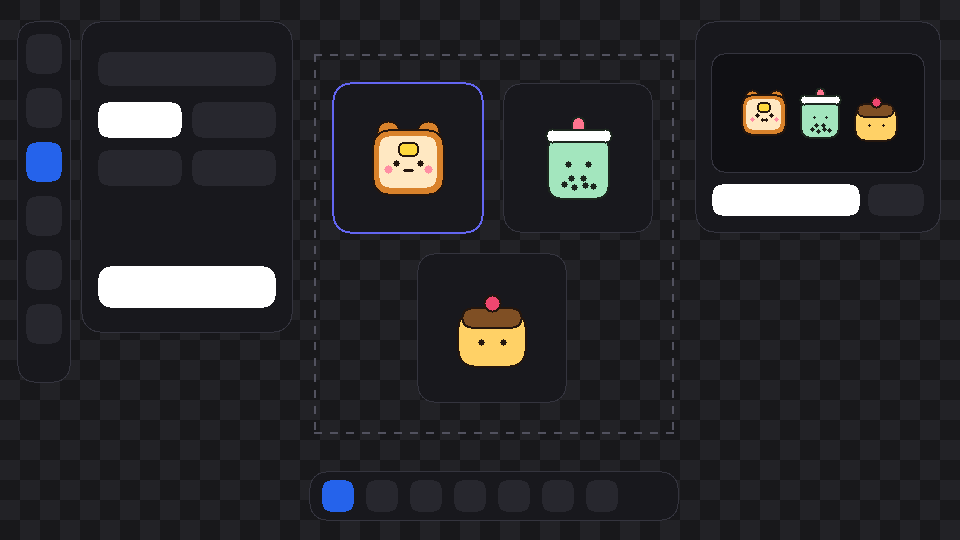
Need freeform drag-and-drop placement or individual cropping per clip before merging? Try the Spatial GIF Studio.
Try the Spatial GIF Studio
Paste clips with Cmd+V, drag them side-by-side or into a 2×2 bento grid, preview live, and export a single animated GIF — all locally in your browser.
Merge GIF Frequently Asked Questions
Can I put two GIFs side by side so they play at the same time?
Yes. Pick "Side-by-Side" (Left to Right) or "Vertical Stack" to composite multiple animations simultaneously inside one synchronized GIF.
Can I stitch GIFs together to play one after another?
Yes — select "Timeline Stitch" to append clips sequentially on a single timeline so each clip plays in order.
What happens if the GIFs I merge have different dimensions or frame counts?
GifShrink automatically aligns panel dimensions to your chosen layout and loops shorter clips smoothly alongside longer clips in simultaneous layouts, or plays each clip at its native timing in Timeline Stitch mode.
What if I want freeform positioning or per-clip cropping?
Open our Spatial GIF Studio (/studio) to paste clips with Cmd+V, drag them freely onto an infinite canvas, crop individual layers, and export a single combined GIF.
Are my GIFs uploaded to a server when merging?
No. Compositing, adaptive palette quantization, and gifsicle -O3 optimization all execute 100% locally in your browser Web Worker.
How can I make my merged GIF smaller after combining?
Combining multiple animations increases total pixel area. After downloading your merged GIF, drop it into our Compress GIF tool to target 500KB, 1MB, 2MB, or any custom KB ceiling.
More Browser-Local GIF Tools
View all tools →Shrink animated GIFs to Discord, Slack (≤50f), Email, or any custom KB target.
One-click 256KB Discord emoji (128×128px, anti-ghost), 512KB stickers, and 10MB chat GIFs.
Hit Slack’s strict ≤128KB, 128×128px, and ≤50-frame custom emoji rules locally.
Optimize newsletter GIFs under 600KB (Klaviyo) or 1MB (Mailchimp & Gmail) with coalesced frames.
Convert animated or static WebP (including Discord/Reddit fake GIFs) to real GIF89a.
Split any animated GIF into lossless transparent PNG frames and download all as .ZIP.
Change GIF width and height by pixels or percentage with locked aspect ratio.
Trim borders or cut animated GIFs to 1:1, 16:9, 4:3, or custom regions.
Play any animated GIF backwards from the last frame to the first.
Make animated GIFs faster or slower from 0.25× up to 4× playback speed.
Infinite canvas to paste (Cmd+V), drag, arrange, and combine multiple clips.